
One board for work and everything else.
Kanban Everything holds the whole list: the release you are shipping and the kitchen tap that needs replacing. Projects nest, tags stay flat, and a saved view narrows the board to whatever this afternoon is about. It runs on a server you control — one container, one SQLite file.
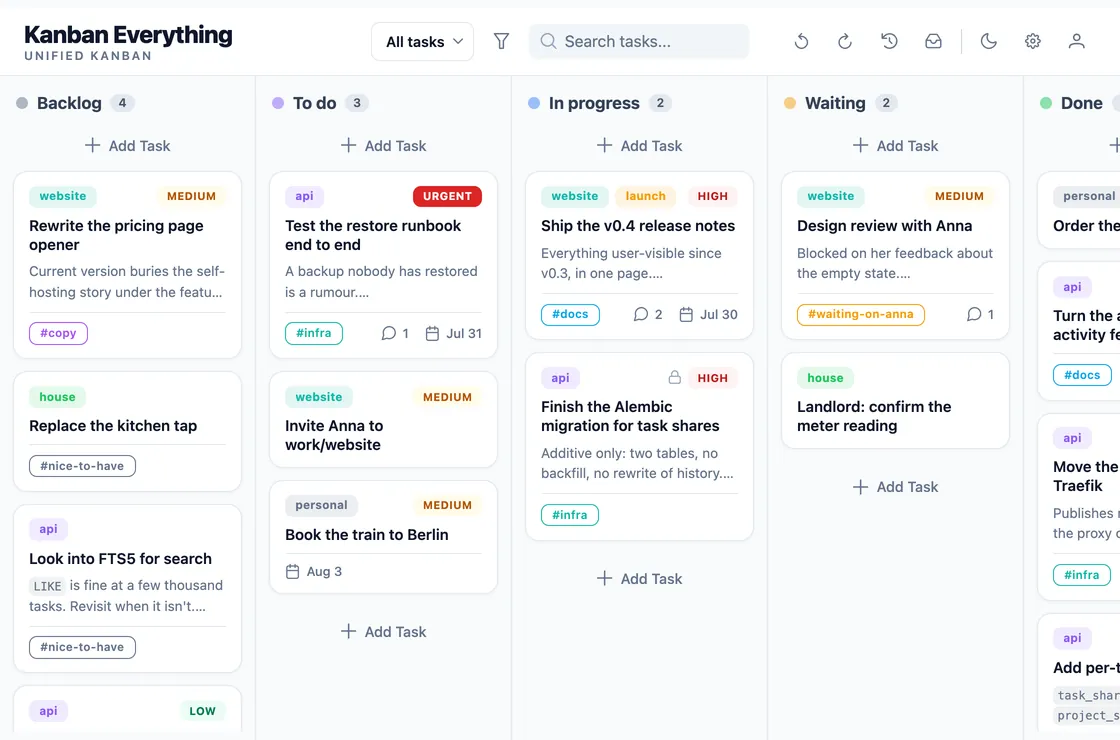
One board, not one per project.
Projects nest. work › website › launch is a path, not three boards. Filter to a project and you can take its whole subtree with you. A task can sit in several projects at once, so the release notes belong to both website and launch without being copied.
Tags stay flat. Any number per task, independent of projects, matched as “any of these” or “all of these”. Rename one and every task follows.
Views remember the combination. Projects, tags, priorities, the search text, and which columns to show in which order — saved under a name you pick, switched in one click. A view never changes a task; it only decides what you are looking at.
Search reads the whole task. Titles, descriptions, comments, project and tag names, link labels and URLs — filtered as you type, on top of whatever else is already filtered.
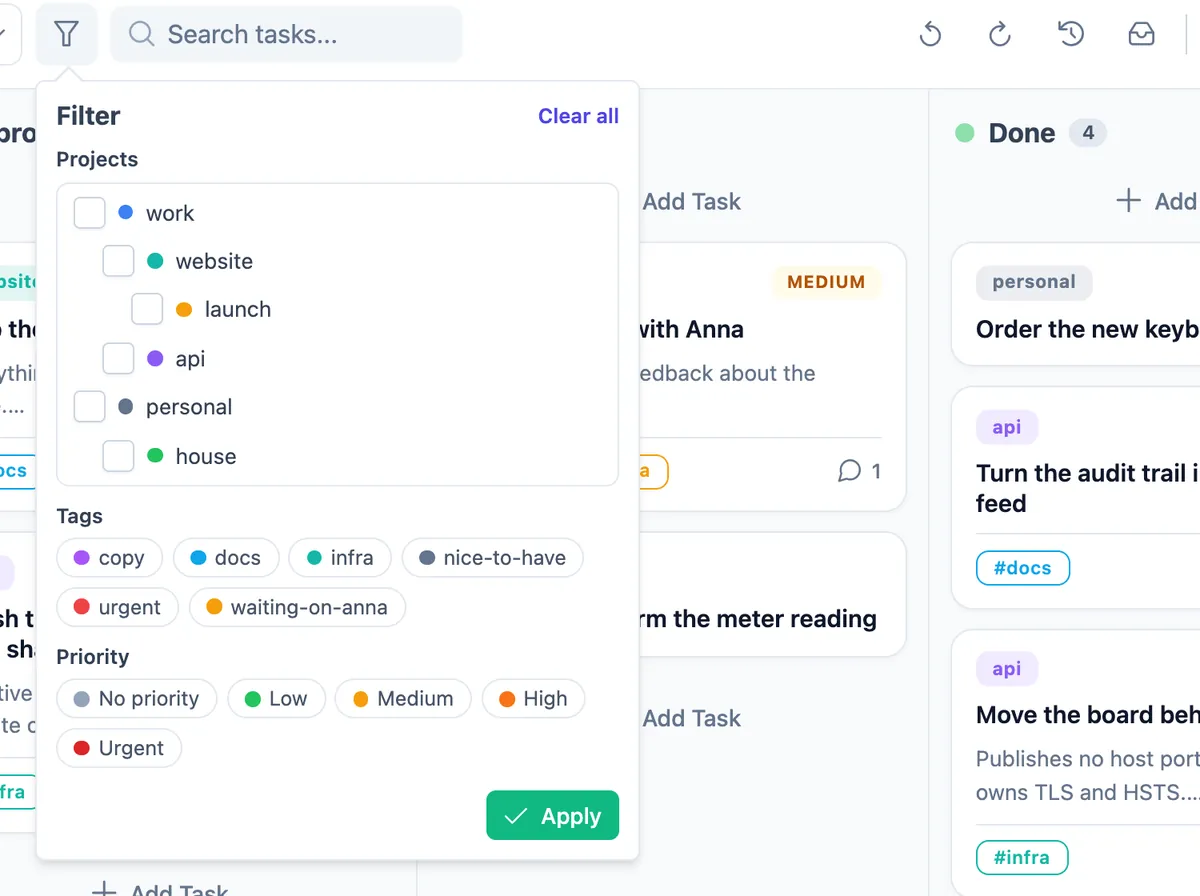
A task, not a line in a list.
Open a card and you get a document: Markdown with a live preview, checkboxes that really tick, and images that are stored with the task — on save, never on paste, so nothing is kept because you happened to copy it.
Comments are Markdown too, and editable. Links attached to a project show up on every task inside it, deduplicated by URL, so the runbook is one click away from anything in api without being pasted into fifteen cards.
There is no Save button. Closing the dialog keeps a dirty draft; undo is how you cancel. And a task you don't want touched can be locked: every write comes back refused, with a reason, until you unlock it.
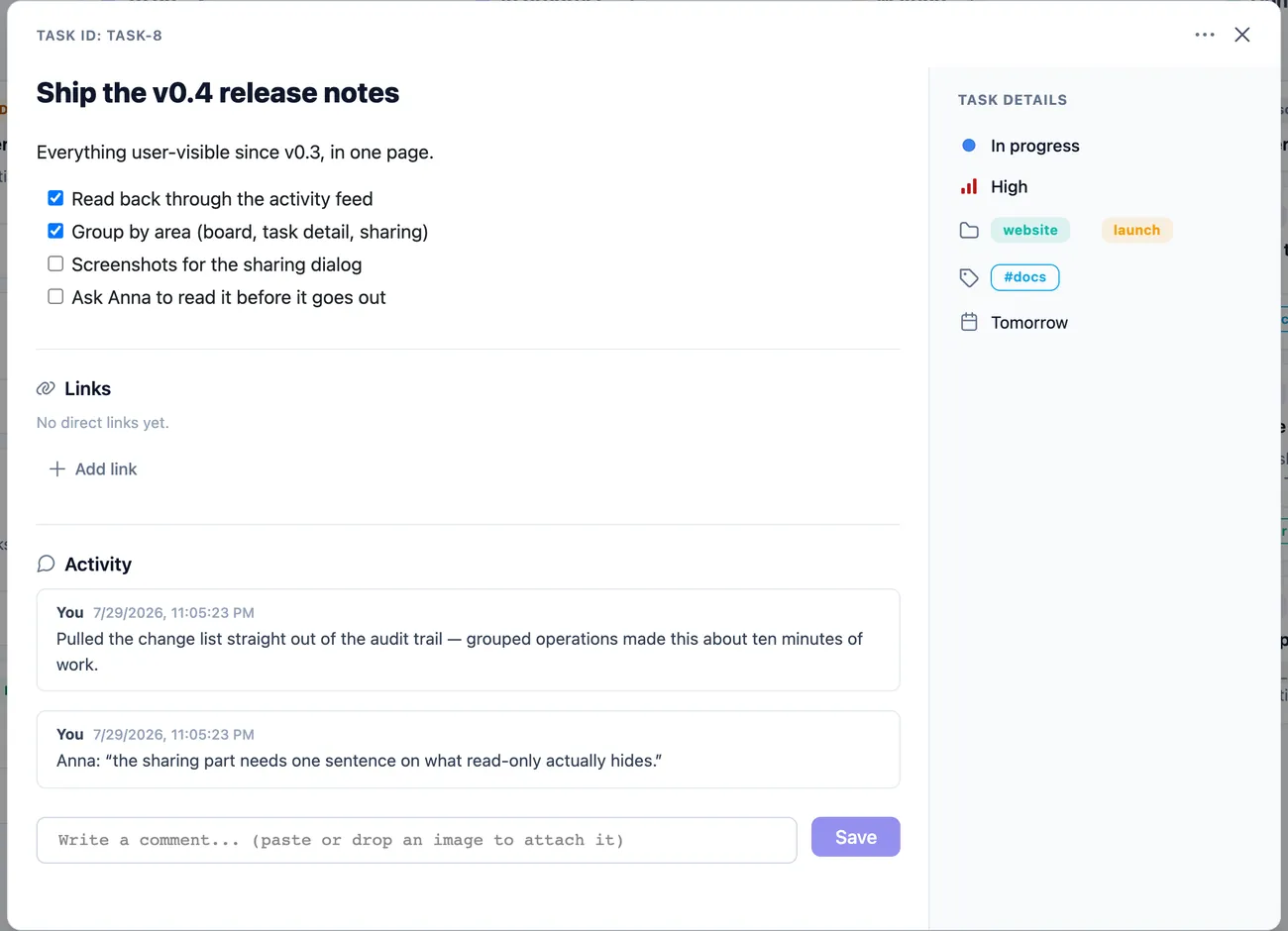
Nothing happens off the record.
Every change is written to a durable event log in the same transaction as the change itself. A write that fails leaves neither data nor a trace of itself, and one thing you did is one operation — deleting a column that still held work records the deletion and every task it moved as a single entry you can read later.
Undo lives on the server. Reload the page, come back tomorrow, use a different machine: the stack is still there. With more than one person on the board, you undo your own operations, and an operation that has since been overtaken is refused rather than forced through.
You can take back one old thing. Pick an operation from last Tuesday and revert just that, without unwinding everything after it. Individual tasks go further: read one as it was at any point, then restore that version as an ordinary new change.
Deleting is the exception — the one irreversible act. It scrubs the task and redacts its history: ids, timestamps and field names survive, the content does not, at any point in the timeline. Archiving, which is what you usually want, keeps everything.
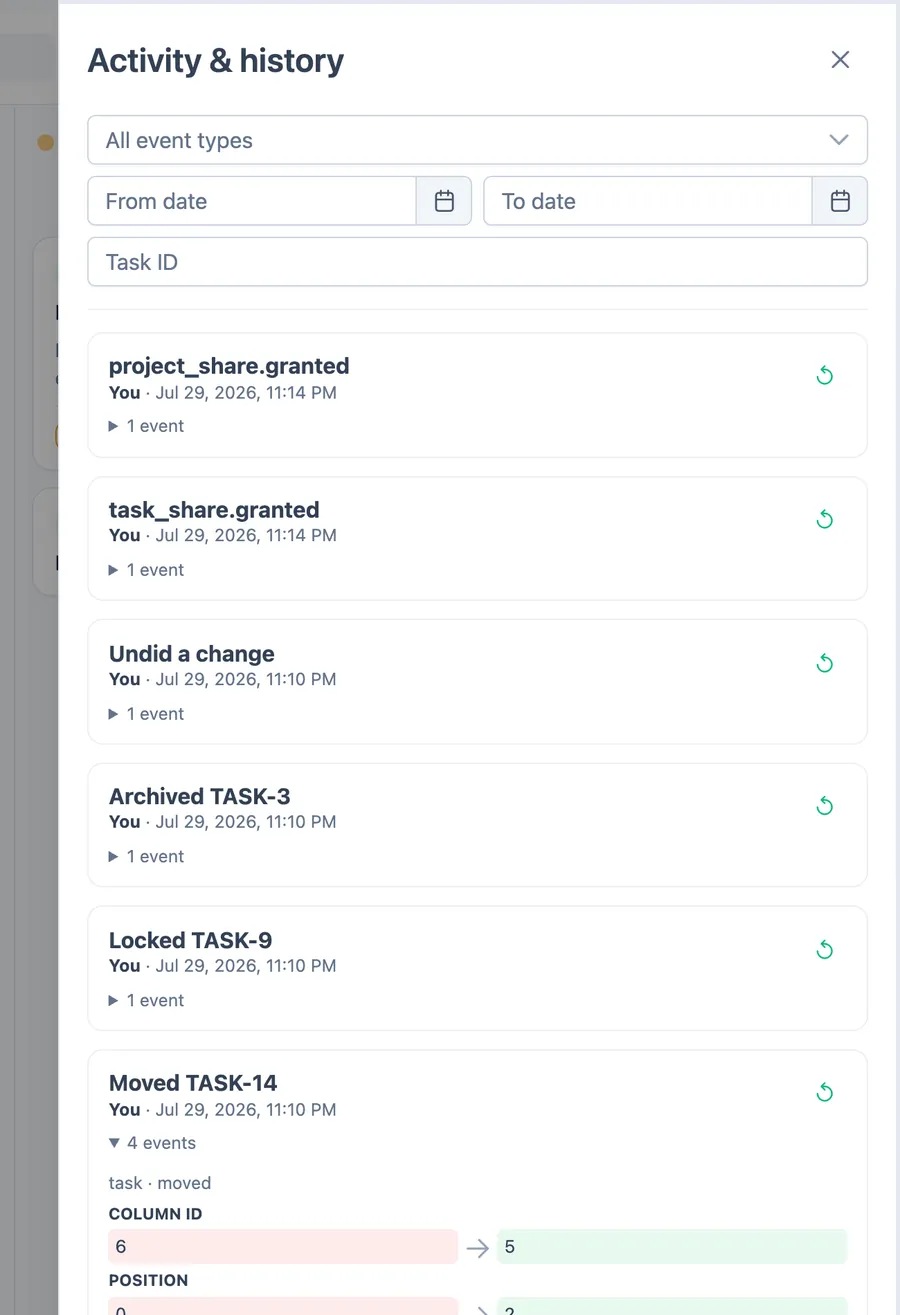
Shared on purpose, never by default.
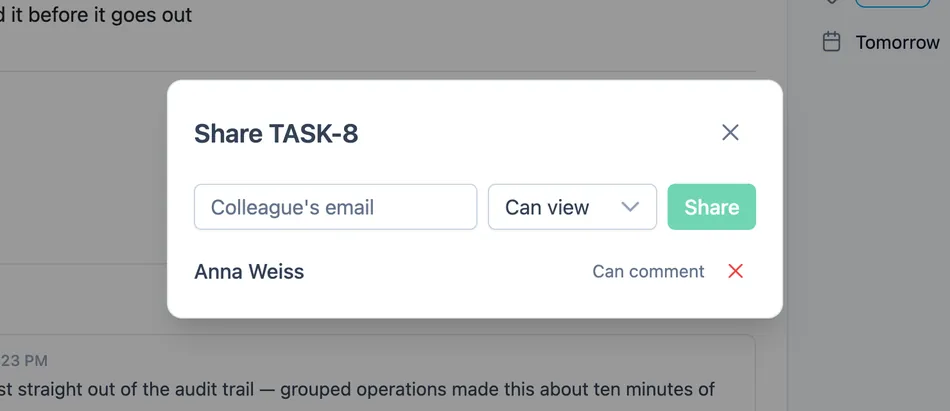
Run it alone and it stays a private board — you simply never send an invite. Add people and your own tasks don't change: a colleague sees a project or a single task because you granted it, at read-only, comment or read-write. Grants on a project flow down its subtree, the strongest one wins, and access is worked out per request, so taking it away takes effect on the next click.
People are identified by the email they log in with, so sharing needs no directory of users. Passwords are argon2id hashes, sessions are rows you can revoke, and registration is invite-only: the first administrator comes from the environment on first start, everyone else follows a single-use link that expires. No mail server is involved anywhere.
What you can't see, you can't infer. A task shared with you may also live in projects you have no access to; those show up as a count — +2 private — never as names. Administrators manage accounts, columns and tags; they get no back door into anybody's tasks. Scripts get their own per-user API tokens, with exactly the permissions of the person who made them.
The board is a client of its own API.
Nothing in the interface has a private shortcut into the database. Every capability is an HTTP endpoint first, versioned under /api/v1, documented by generated OpenAPI, and available to anything holding a token — a script, a cron job, a shortcut on your phone.
One GET /board returns everything a render needs. Errors come back as problem+json with stable codes, so a script can branch on task_locked instead of parsing a sentence, and a write that was based on a stale version is refused instead of quietly winning. The realtime stream is the same event log over a WebSocket, resumable from where a client left off.
# add a task from anywhere, with a per-user token
curl -X POST https://kanban.example.com/api/v1/tasks \
  -H "Authorization: Bearer $KANBAN_TOKEN" \
  -H "Content-Type: application/json" \
  -d '{"title": "Renew the domain",
       "priority": "high",
       "due_date": "2026-08-14"}'

# 201 Created — and every open board shows it
# within the second, over the WebSocket.
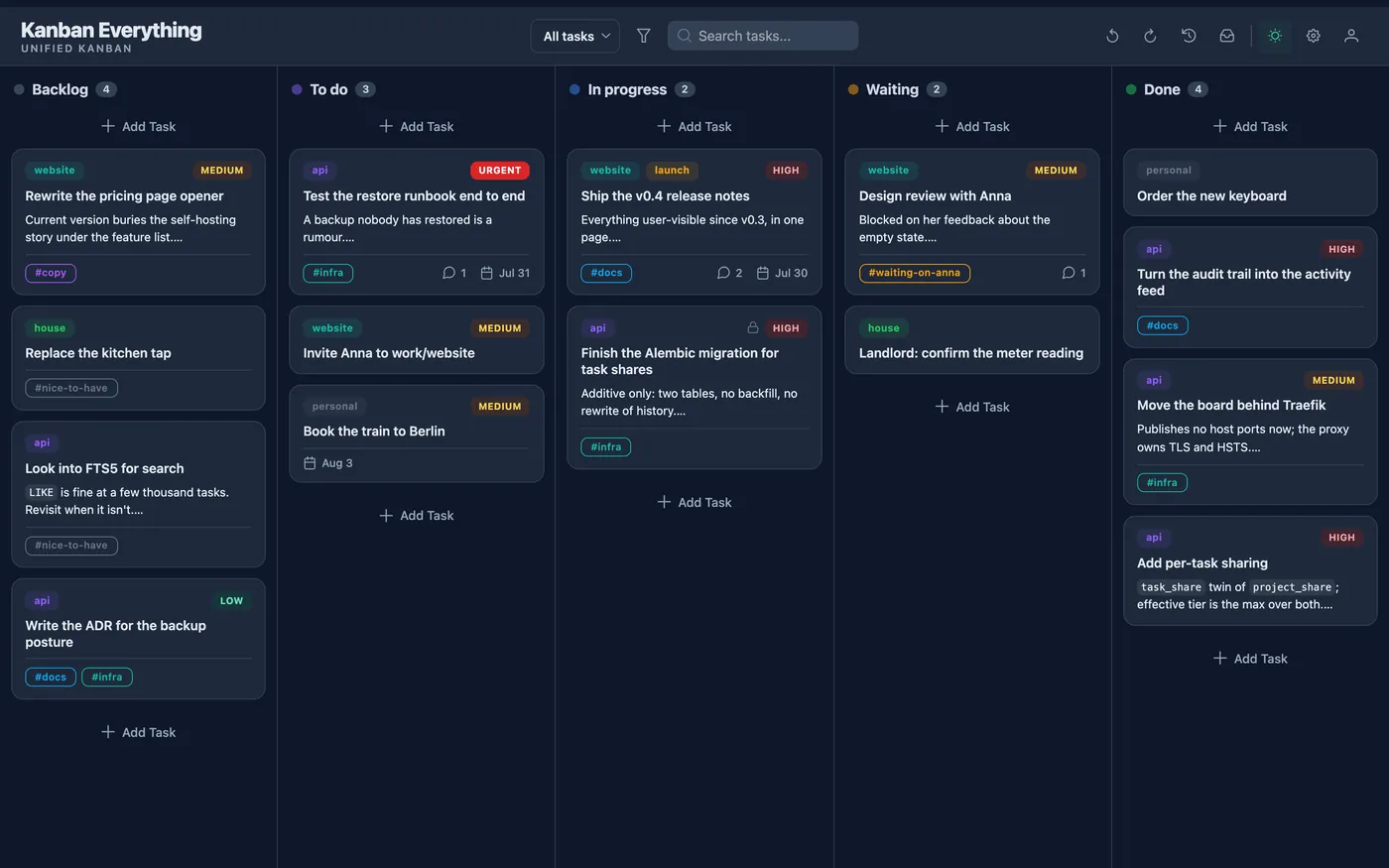
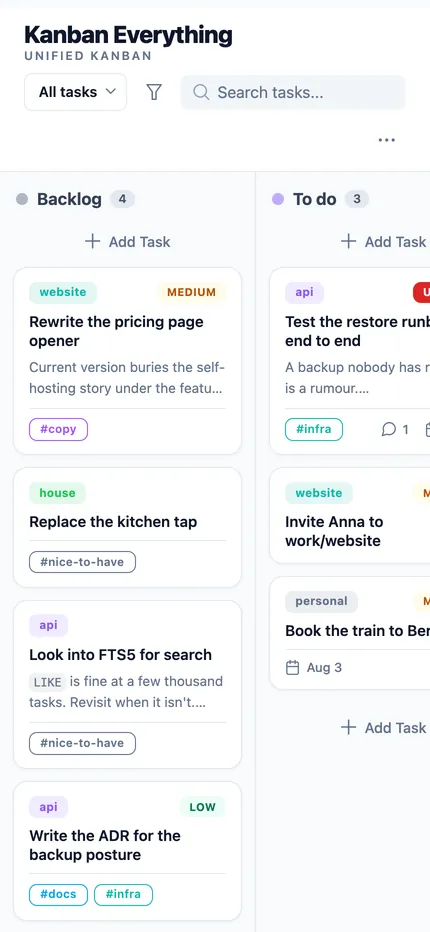
Dark when you want it. Usable on a phone.
The same board, the same data, two themes and any width. Columns collapse to a rail on a narrow screen and still take a dropped card.
Running it yourself
Docker with Compose v2.24 or newer, on anything you can reach: a NAS, a VPS, the machine under the desk. Python and Node are only needed if you want to work on it.
Start it
Clone, copy the example environment, bring it up. Migrations run themselves. Set the first administrator in .env before the first boot — those variables are only read while there is no account yet.
git clone \
  https://github.com/Andreas-Menzel/kanban-everything
cd kanban-everything
cp .env.example .env
docker compose up -d --build
# http://localhost:8080
Put it on a domain
An overlay attaches the app to a Traefik you already run — which keeps TLS, certificates and HSTS where they belong. The app then publishes no host ports at all and is reachable only through the proxy.
docker compose -f compose.yaml \
  -f compose.traefik.yaml up -d --build
Back it up, and know that it worked
The database runs in WAL mode, so copying the file while the app is running is not a backup: recent commits live in a sidecar and a copy can catch a torn page. Take a snapshot instead — it runs VACUUM INTO and checks the result before it hands it to you.
docker compose exec -T app \
  python -m app.backup /tmp/snapshot.db
Then treat it like a service
The repository carries host scripts that turn that snapshot into an hourly encrypted restic job with retention, and a deploy that snapshots first so a bad migration can be rolled back. The operations manual covers deploy, rollback, restore, disaster recovery and a weekly read-only check — written to be followed at two in the morning.
What it isn't
A short list, because a tool that claims to do everything usually does none of it well:
- Not a service. There is nothing to sign up for; if you don't run it, it doesn't exist for you.
- No importers yet. Trello, Jira and CSV are not supported. Synchronising GitHub and GitLab issues is specified in full in the repository and is the next big piece of work, but it is not built.
- No native app. The web interface adapts to a phone, and the API is there if you would rather build something.
- Deliberately missing: WIP limits, swimlanes, recurring tasks, reminders and notifications, attachments other than images, and full-text search. Each is a decision, written down, not an oversight — and each stays out until something actually needs it.
Why it exists
I wanted one board for everything I have to do, running on my own machine, where a task I archived last month is still there and a change I made by accident can be taken back. Everything on this page is in the repository today, and the design document there is honest about the parts that are not.
It is built in my spare time, and it is free. If it ends up running your week, a coffee is a nice way to say so.